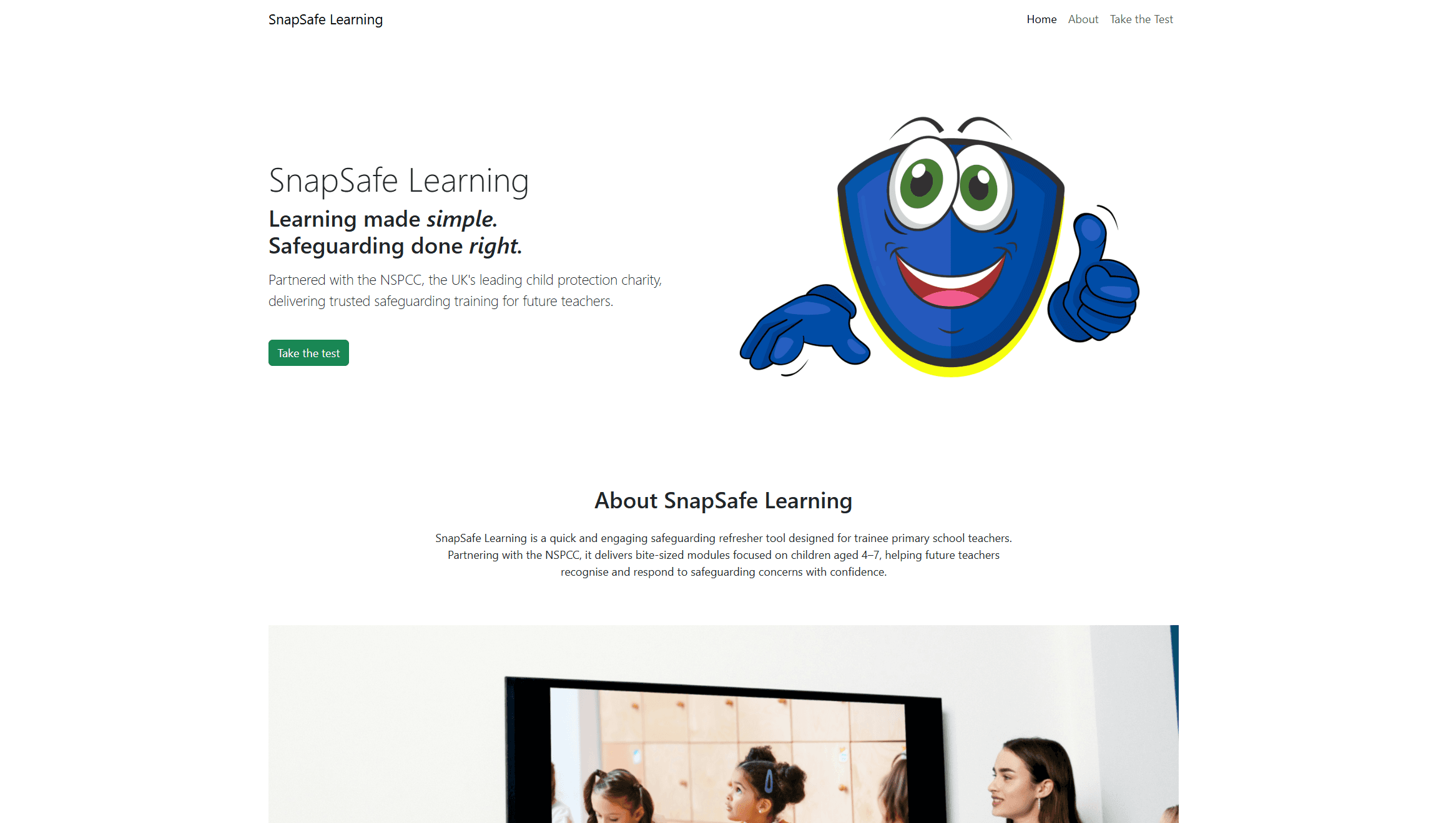
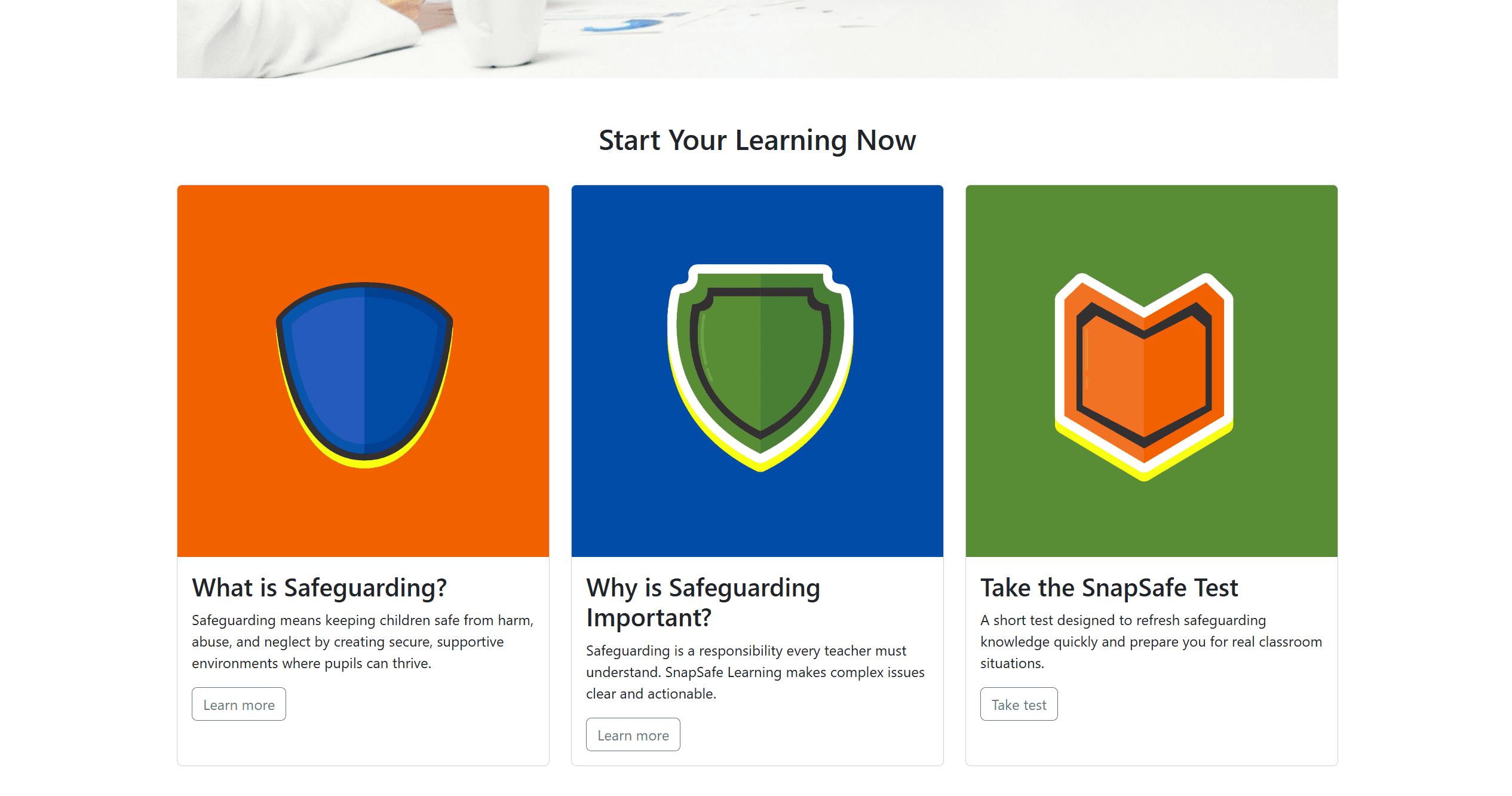
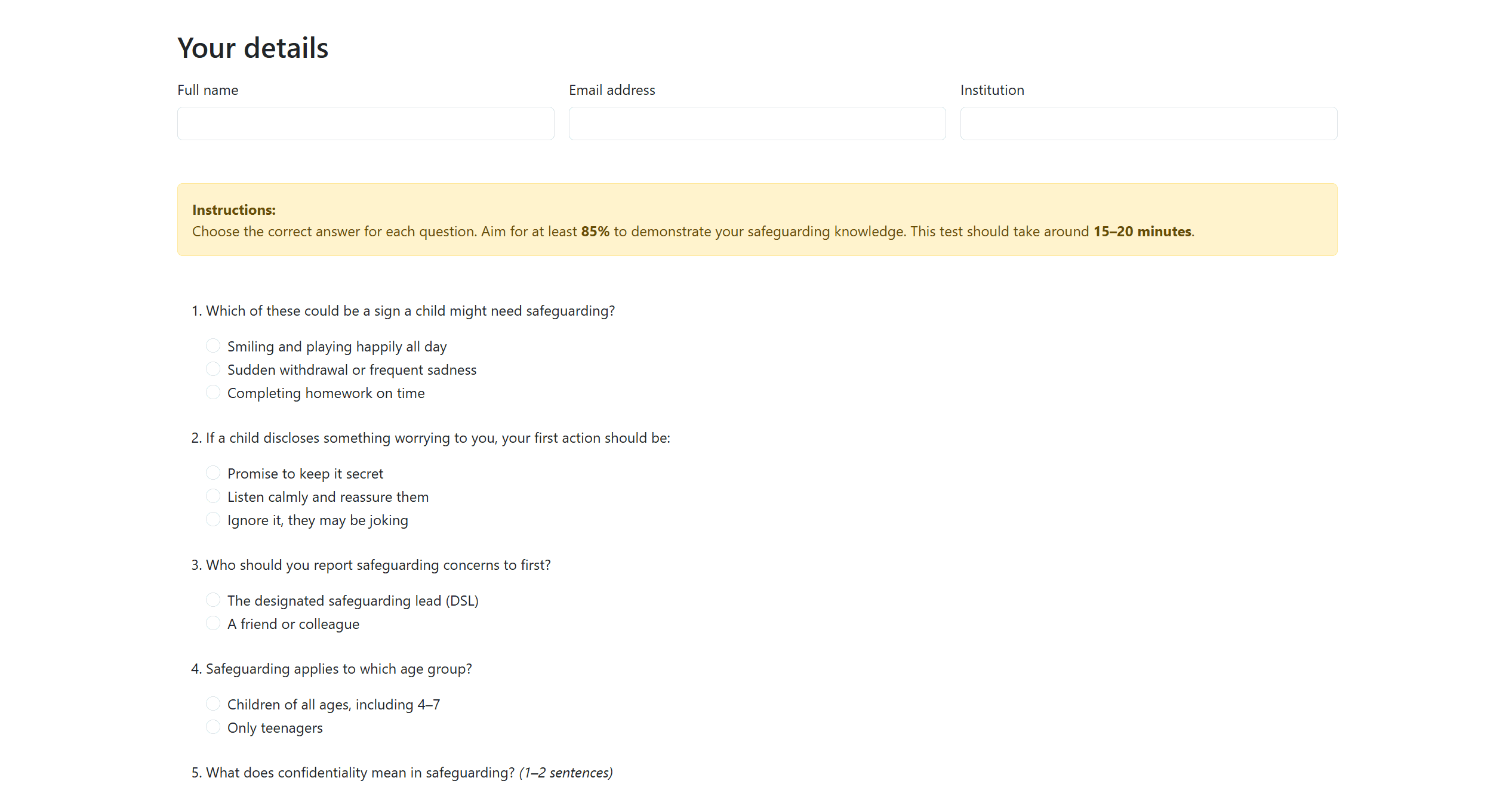
SnapSafe Learning is an educational front-end project created during the Code Institute AI Augmented Full Stack Software Developer Bootcamp. It is a static, responsive website built with HTML, CSS and Bootstrap, designed to support trainee teachers in understanding essential safeguarding concepts through clear visual modules and an interactive quiz. The aim was to transform complex safeguarding content into a clear, memorable and accessible digital experience.
Sector:
Web Design
Industry:
EdTech
Duration:
3 weeks
My Contributions
End-to-end UX, UI and front-end implementation, including:
User research and UX goal definition focused on trainee teachers
Information architecture and modular layout planning
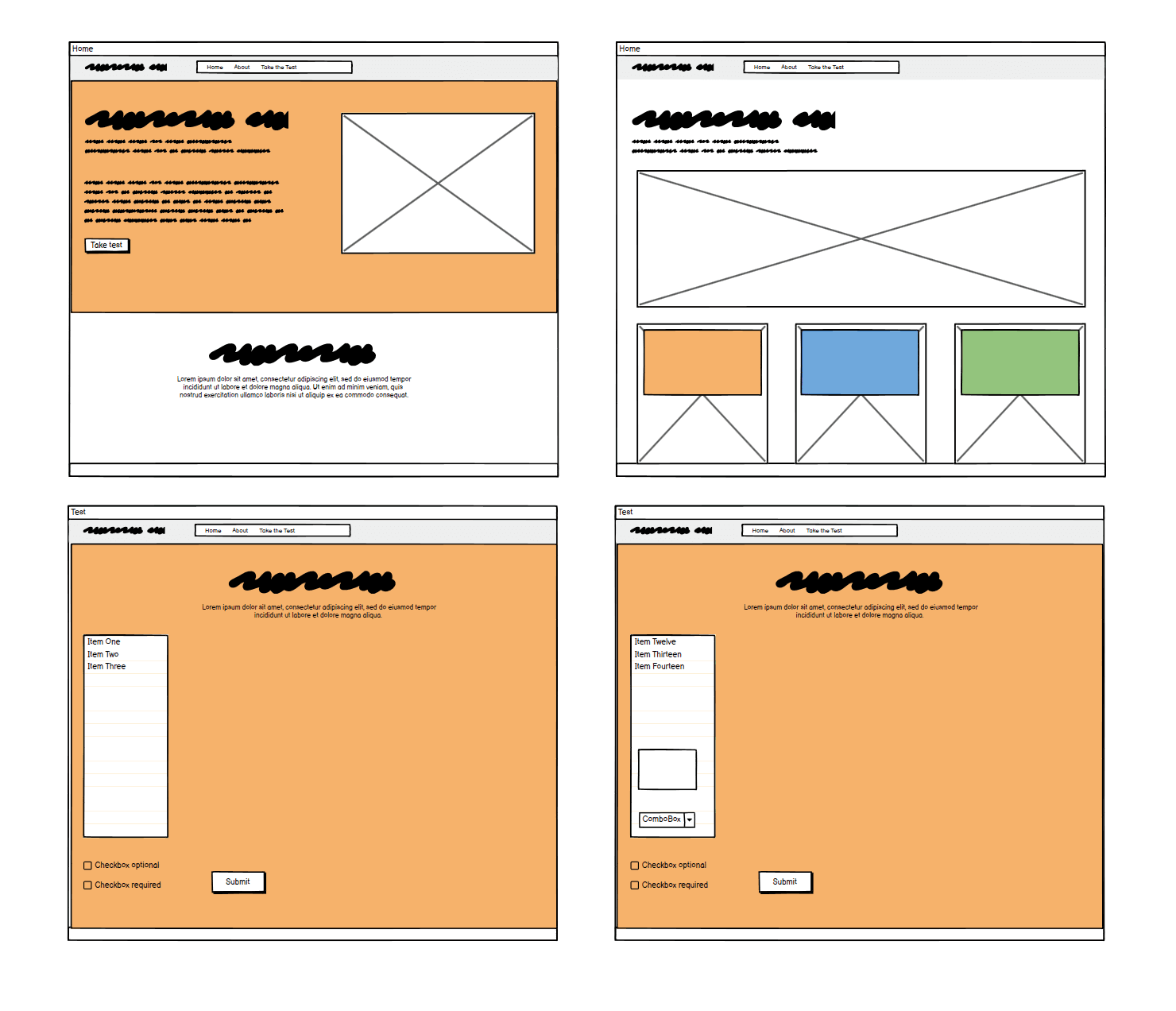
Wireframing and layout exploration using Balsamiq
Visual UI design, component styling and illustration direction
Front-end development using HTML, CSS and Bootstrap
Responsive design and accessibility considerations
GitHub version control and deployment via GitHub Pages
The Design Process
After defining user needs and learning goals, I mapped out the core journey from landing on the site, to exploring safeguarding modules, to completing the interactive quiz.
The interface was designed to balance professionalism with approachability, ensuring safeguarding content felt trustworthy while remaining clear and easy to scan.
Low fidelity wireframes established layout hierarchy and content structure before development began. These were translated into high fidelity UI designs, focusing on modular learning cards, clear navigation patterns and reduced cognitive load to support quick comprehension.
Design System
The website was designed with trainee teachers in mind, ensuring that safeguarding information is quick, clear, and easy to engage with. The structure is modular, allowing users to read short “snapshot” sections before completing a test to reinforce their learning. The goal is to act as a refresher tool that can be delivered during teacher training days.
Typography System
Heading Hierarchy
A clear heading scale was used to guide users through safeguarding topics and quiz sections. Consistent spacing helped maintain rhythm and readability across layouts.
Body Text
Helvetica Neue was selected for its clarity and web safe reliability. Body text styles prioritised accessibility and legibility, particularly for instructional content and safeguarding explanations.
Button Text
Button styles were designed to clearly indicate actions such as progressing through modules or submitting quiz responses.
Colour Palette
The colour palette for SnapSafe Learning uses bright yellow to represent high-visibility and safety, while blue conveys trust, security, and calmness. Orange was added to provide warmth and contrast, helping the design feel balanced and engaging. Together, these primary colours create the perfect harmony for a project focused on safeguarding children in early education.
Conclusion
The final outcome is a clear, structured and accessible educational interface that reframes safeguarding training as a guided digital learning journey. Through modular content, supportive visuals and interactive assessment, SnapSafe Learning encourages understanding, reflection and confident engagement with essential safeguarding concepts.